In the real world, the JSON people paste into a formatter usually isn't valid JSON. It's close — but it's been written by hand, copied out of a log, or pulled straight from another language. Most tools just throw a syntax error. JSONGuy handles the edge cases instead.
Three flavors of "JSON"
What actually shows up tends to be one of three things. Only the first is strict, standards-compliant JSON:
1. Standard JSON
{
  "name": "John",
  "active": true,
  "note": null
}
2. Python-style — single quotes, None/True/False
{
  'name': 'John',
  'active': True,
  'note': None
}
3. JavaScript-style — unquoted keys, comments, trailing commas
{
  name: 'John', // unquoted key
  active: true,
  skills: ['js', 'react',], // trailing comma
}
Same input, two different tools:
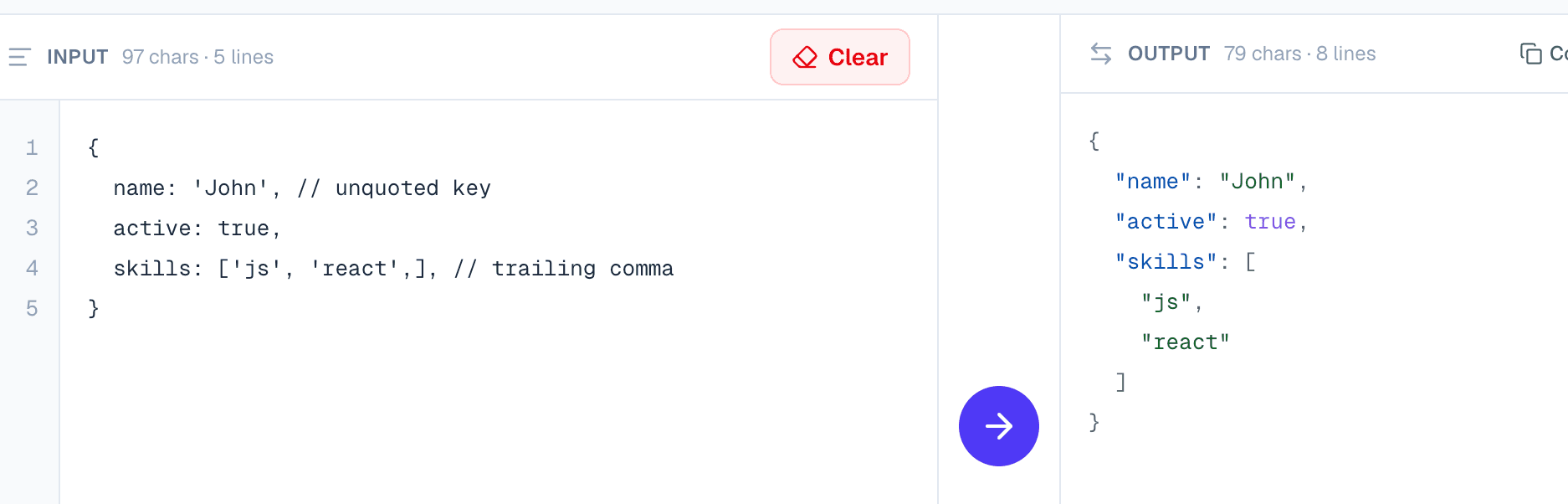
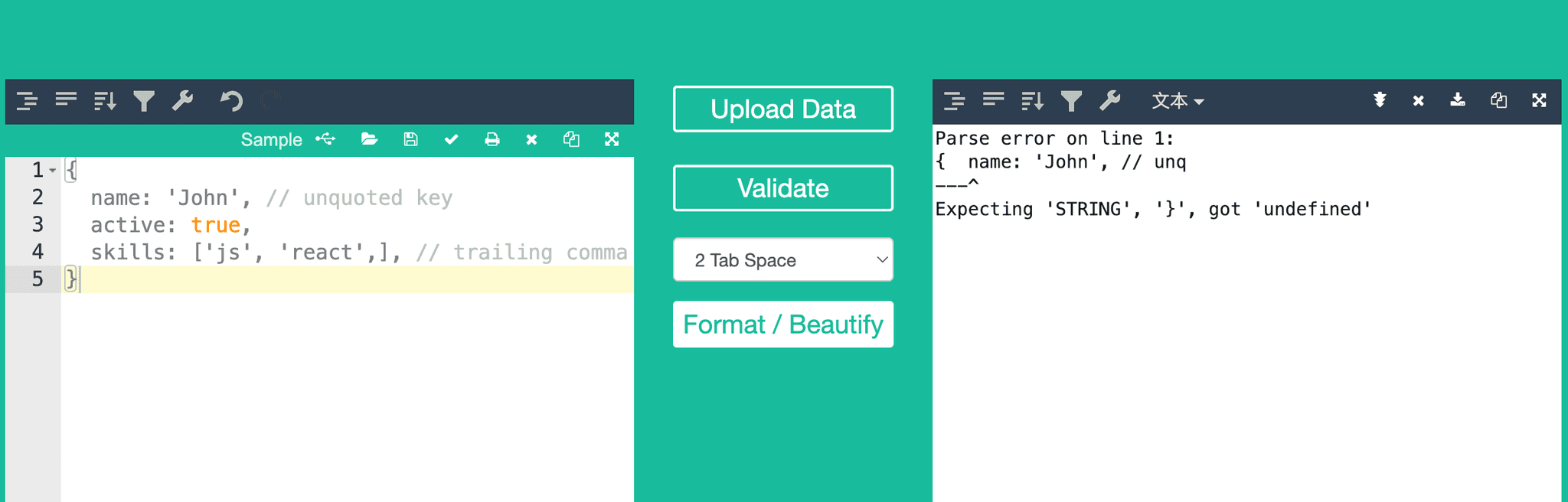
Paste #2 or #3 into a traditional JSON beautifier and you get a syntax error. Those tools only understand strict JSON — double quotes, quoted keys, and no idea what True or None are. That's exactly where most legacy formatter sites fail you.
How JSONGuy parses it
The pipeline is deliberately small — two steps before the JSON comes out the other side clean:
Step 1 — normalize Python keywords. We walk the input one character at a time and rewrite True → true, False → false, and None → null. The important part is what it doesn't touch: anything inside a string is copied through unchanged, and the rewrite only fires when the word is a standalone token, not part of a longer identifier. A value like "None of the above" stays exactly as it is.
Step 2 — parse with JSON5. The json5 library does the heavy lifting for JavaScript-style input: unquoted keys, single-quoted strings, trailing commas, and line or block comments. By the time it sees the string, the Python keywords are already out of the way, so one parser covers both flavors.
The edge cases
A few things worth calling out, because they're easy to get wrong:
- String safety. A naive find-and-replace would mangle
"None"inside a string. The scanner tracks quote characters and escape sequences, so string contents are never rewritten. - Word boundaries.
TrueValueis not the same asTrue. The rewrite checks the next character and skips anything that's still an identifier character. - Useful errors. When input is genuinely broken, we strip the library's noise ("JSON5:" prefix and the trailing "at line… column…") and surface a clean message with the exact line and column, so you can fix it fast.
Bottom line
The point isn't to be clever about parsing — it's to meet real input where it is. Paste strict JSON, a Python dict, or a JavaScript object literal, and JSONGuy turns it into clean, standards-compliant JSON without you having to fix the syntax by hand.